Pinterest for Beginners: What Pinterest Is (and Is Not)
If you’ve spent more than about five minutes around me this year, you probably already know that Pinterest is my favorite platform for driving traffic (and sales) to blogs and small businesses. But you might have tried Pinterest before and thought, I don’t get it… and you wouldn’t be alone!
Most beginners think about Pinterest the same way they think about social media. They’re looking for quick engagement, fast growth, and instant traffic. When that doesn’t happen, Pinterest gets labeled as confusing, overwhelming, or just “not worth the effort”.
But the truth is, Pinterest works very differently than platforms like Instagram or Facebook. When you understand what Pinterest is designed to do, everything starts to make more sense.
Hopefully today I can give you that clarity. Whether you’re a blogger, a TPT seller, a small business owner, or a busy mom just trying to get your content seen (psst… I’m all of those things, by the way), understanding how Pinterest actually works is the first and most important step.
And once you understand how Pinterest works, small strategic changes can make a big difference. I share a few easy ones in 5 Easy Pinterest Wins for TPT Sellers.
What Pinterest Is
Pinterest Is a Visual Search Engine
Pinterest is not a social media platform; it’s a visual search engine.
People go to Pinterest to look for ideas, solutions, and inspiration. They search for things like activities for kids, teaching ideas, home projects, meal plans, or ways to grow a business. They’re not there scrolling to see updates from friends. They’re searching with purpose.
Because of this, Pinterest works a lot more like Google than Instagram. Your content is discovered through keywords, not followers. A brand new account has a chance to show up in search results if the content is clear, helpful, and well-labeled.
Pinterest Is a Long-Term Traffic Platform
Pinterest is designed for long-term growth, not instant results.
A pin you create today can continue to send traffic months or even years from now. It doesn’t disappear after a few hours like a social media post. Pins are saved, searched, and rediscovered over time.
This is great news, but it’s also why Pinterest often feels slow at first. It takes time for pins to be indexed, tested, and shown to the right audience. That slow start is normal. It doesn’t mean you’re doing something wrong!
What Pinterest Is Not
Pinterest Is Not Social Media
Pinterest is often grouped together with platforms like Instagram and Facebook, but it doesn’t function the same way.

You don’t need to post daily updates, share personal moments, or show up on stories. You don’t need to reply to comments, engage in conversations, or worry about building a visible following. In fact, many people using Pinterest without ever interacting with other users at all (fellow introverts, can I get an AMEN?).
Pinterest users aren’t there to connect. They’re there to search, save ideas, and click through to content that helps them!
Pinterest Is Not About Going Viral
Going viral on Pinterest can happen, but it’s not required for success.
One viral pin may create a spike in traffic, but steady growth comes from creating helpful content that continues to be discovered over time. Pinterest rewards relevance and usefulness more than trends or quick bursts of attention.
Many successful Pinterest accounts grow quietly. Their traffic comes from dozens or hundreds of pins doing their job slowly and consistently, not from one pin taking off overnight.
Pinterest Is Not Instant Traffic
This one may feel less fun to hear. Pinterest is not a quick fix for traffic problems.
Pins need time to be indexed and tested. Pinterest needs data to understand who your content is for and when to show it. Because of this, most accounts don’t see wild results right away.
This waiting period can feel discouraging if you expected immediate feedback. It’s important to remember that slow growth is normal on Pinterest, and often leads to more stable results later on!
Pinterest Is Not a Copy-and-Paste Strategy
There’s no one single Pinterest strategy that works exactly the same for everyone.
Bloggers, TPT sellers, service providers, and small business owners may all use Pinterest, but how they use it will look different. The basics stay the same, but the content, goals, and pin styles will vary.
Trying to follow someone else’s strategy step by step without considering your own content and audience will probably lead to frustration. Pinterest works best when the strategy fits what you actually offer.
Pinterest is Not Something You “Set and Forget”
While Pinterest content lasts much longer than social media posts, it’s not completely hands off. Pinterest rewards steady, thoughtful effort. It doesn’t require daily work, but it does benefit from consistency and intention
How Pinterest Actually Works
Pinterest works best when you understand the basics behind how content is found and shared. You don’t need to know every technical detail to use Pinterest well, but having a general understanding helps you make better decisions and set realistic expectations.
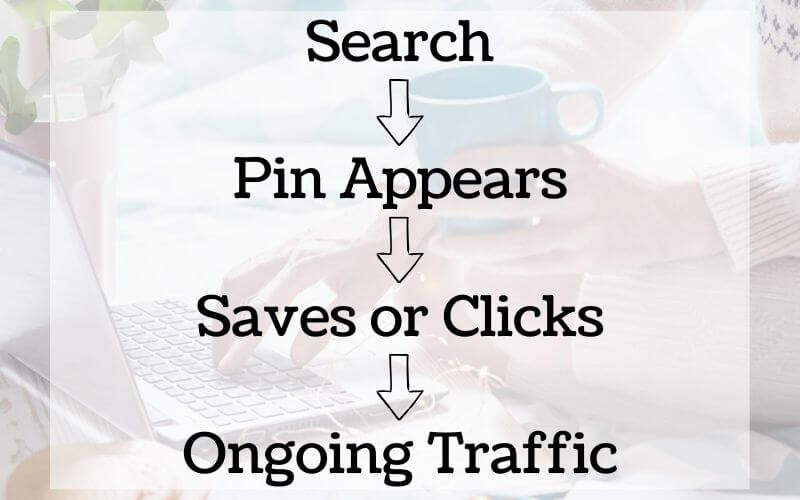
Step 1: Someone Searches a Keyword
Everything on Pinterest starts with a search.
People go to Pinterest looking for specific ideas, answers, or inspiration. They might be looking for something educational, seasonal, or problem-based. They type keywords into the search bar, just like they would on Google.
Pinterest’s job is to match those searches with the most relevant content available.
This is why keywords matter on Pinterest. The words you use in your pin titles, descriptions, and boards help Pinterest understand who your content is for and when to show it.
Step 2: Pinterest Shows Relevant Pins
Once someone searches, Pinterest pulls up pins it believes best match that keyword.
Pinterest looks at things like:
- The keywords used in the pin
- How clearly the pin image communicates the topic
- Whether similar users have interacted with the pin before
At this stage, your follower count does not matter. A helpful, well-labeled pin from a small account can appear alongside content from much larger creators.
Step 3: The User Clicks or Saves
When someone sees a pin that matches what they’re looking for, they usually do one of two things.
They may save the pin so they can come back to it later. This tells Pinterest the content is relevant and worth showing again.
They may click the pin to read the blog post, view the product, or access the resource. This is how Pinterest sends traffic to your website or sales pages.
Both actions are important. Saves help with distribution. Clicks help with traffic. Pinterest uses all of this information to decide how widely your pin should be shown!
Step 4: Pinterest Tests and Expands Reach
After a pin is published, Pinterest begins testing it with different audiences.
If people interact with the pin, Pinterest slowly shows it to more users who are searching for similar things. This testing process takes time and often happens in waves.
This is why pins can seem quiet at first and then suddenly start gaining traction weeks or months later. Pinterest is constantly learning where your content fits best.
Who Pinterest Is Best For
Pinterest can work for a wide range of people and businesses, but it’s especially effective for those who create content meant to be discovered, saved, and revisited over time.

Pinterest works especially well for:
Bloggers and Content Creators
Pinterest LOVES blog posts! If you publish blog posts, tutorials, roundups, or educational content, Pinterest can help that content reach new readers long after it’s published. Instead of relying only on social media or search traffic, Pinterest gives your posts another way to be found.
TPT Sellers and Other Digital Product Sellers
Pinterest works well for educators who sell digital resources, especially when paired with blog posts, preview pages, or landing pages. It can also support TPT sellers who pin directly to their products, but results are often stronger when Pinterest is part of a larger content strategy.
Small Business Owners
If you sell physical products, courses, printables, planners, templates, or other digital products, Pinterest can help attract people who are already searching for what you offer. Because users come to Pinterest with intent, it can be a great fit for educational or problem-solving products.
Service Providers
Pinterest can work for service-based businesses such as virtual assistants, designers, or coaches when your content is education. Blog posts, guides, and resources that explain what you do or solve a specific problem tend to perform better than direct promotional content alone.
Busy Creators Who Want Long-Term Traffic
Pinterest is especially helpful for people who don’t want to be online every day. Because pins continue working over time, Pinterest can be a good option for creators who prefer steady, behind-the-scenes growth rather than constant posting.
Who Pinterest May Not Be Best For
Pinterest may feel more challenging if:
- You do not have any content to link to
- Your work relies entirely on real-time interaction or local visibility
- You are looking for immediate results without a long-term plan
That doesn’t mean Pinterest will never work, but it may require additional steps or a different approach.
Common Beginner Mistakes
When Pinterest feels frustrating, it’s usually not because it doesn’t work. Most of the time, it comes down to a few common mistakes that are easy to make when you are new.
Treating Pinterest Like Social Media
One of the biggest mistakes beginners make is using Pinterest the same way they use Instagram or Facebook. Posting casually, focusing on engagement, or worrying about followers often leads to disappointment. Pinterest rewards searchable, evergreen content, not daily interaction.
Skipping Keywords
Pinterest relies HEAVILY on keywords to understand what your content is about. When pins are created without clear titles, descriptions, or relevant boards, Pinterest has very little information to work with. Even great content can struggle if it is not labeled clearly.
Giving Up Too Soon
Pinterest is a long-term platform, and many beginners stop before their content has time to gain traction. It’s common for pins to take weeks or months to perform. Early silence does not mean your strategy is failing.
Pinning Without a Plan
Pinning randomly or inconsistently can make it harder to see results. Pinterest works best when pins support specific content and are published with intention. A simple plan, even a basic one, goes a long way.
Expecting Every Pin to Perform Well
Not every pin will do well, and that’s normal. Pinterest tests content over time, and some pins will naturally perform better than others. Success often comes from creating multiple pins and letting the platform determine what resonates.
If you recognize yourself in any of these mistakes, don’t stress! Most successful Pinterest users made the same ones at the beginning. The key is understanding how Pinterest works and adjusting your approach as you learn.
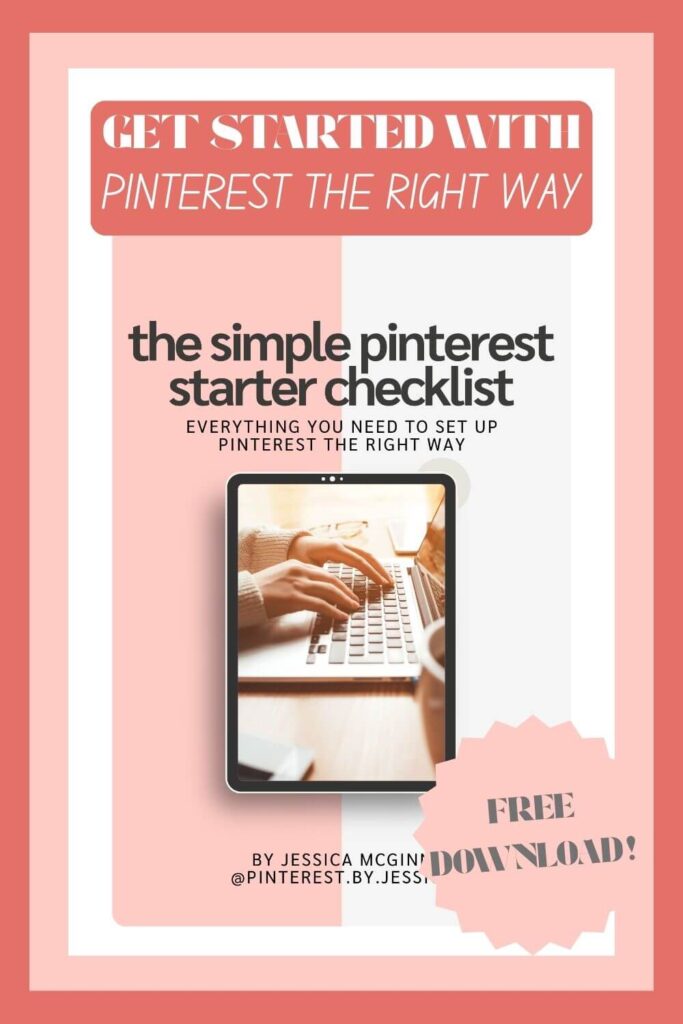
And if you want a simple way to get started without overthinking, my Simple Pinterest Starter Checklist walks you through exactly what to focus on first and what you can ignore for now
What to Focus on First as a Beginner
When you are new to Pinterest, it’s easy to feel like you need to do everything at once. The truth is, Pinterest works best when you start simple and build from there.
Instead of trying to master every strategy right away, focus on these foundational pieces first.
Understand How Pinterest Works
Before worrying about design or scheduling, make sure you understand what Pinterest is and how people use it. Pinterest is a search platform designed to help users find ideas and resources. When you work with that mindset, your strategy becomes much clearer. (And if you’ve read this far, you should be able to pretty much check this one off your list!)
Create Clear, Helpful Content
News flash: Pinterest can only promote content that exists. Focus on creating content that answers a question, solves a problem, or teaches something useful. This could be a blog post, a product page, a free resource, or a landing page.
Clarity matters more than volume. One helpful piece of content is more valuable than many vague ones.
Learn Basic Keyword Usage
You don’t need advanced keyword tools to get started (although when you’re ready, I can recommend some really good ones!). Begin by paying attention to how people search on Pinterest. Use clear, specific language in your pin titles, descriptions, and boards so Pinterest understands who your content is for.
Think in terms of what someone would type into the search bar when looking for your content.
Give Pinterest Time
One of the most important things you can do as a beginner is be patient. Pinterest needs time to test and learn from your content. Early results are often quiet, but that does not mean nothing is happening.
Trust the process and focus on steady progress rather than quick wins.
Ready to Take the Next Step?
If this helped clarify how Pinterest actually works, the next step is turning that understanding into a simple, realistic plan.
I created a beginner-friendly resource that walks you through what to focus on first, without overcomplicating things or requiring hours of extra work.
👉 Grab my Simple Pinterest Starter Checklist
This checklist breaks Pinterest down into clear, manageable steps so you know exactly what to work on next and what can wait. It is designed for busy creators who want steady progress, not perfection.
Whether you’re a blogger, TPT seller, or small business owner, this checklist will help you move forward with confidence and avoid the most common beginner mistakes.
Prefer Support Instead of DIY?
If you know Pinterest matters but managing it yourself feels overwhelming, I also offer Pinterest management services for creators who want consistent, long-term growth without the daily work. You can learn more about my services here.